Use Safe Links and Strong Room Settings
Before joining any call, check that the invite came directly from someone you know. A link shared in a public group chat or on social media could be open to anyone – including people you never intended to meet. If you're not sure who sent it, don't click it.
Most platforms like Zoom and Google Meet let hosts add a password, enable a waiting room, and require approval before anyone enters. Turn these on every time. Locking the meeting once everyone has joined is a simple extra step that stops uninvited guests from slipping in late. These settings take about 30 seconds to configure and can prevent a lot of problems before the call even begins.
Watch What You Share on Camera and on Screen
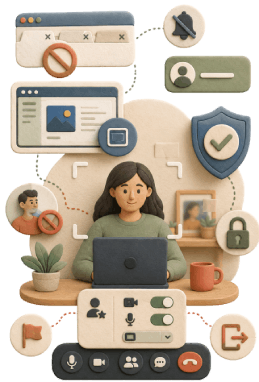
Your background can give away more than you'd think. A school logo on the wall, a street name visible through a window, or even a piece of mail on the desk can tell strangers exactly where you live or study. Use a virtual background if the platform offers one, or sit against a plain wall.
Before you share your screen, close any tabs with personal information open. Turn off notifications too – a text preview popping up mid-call can expose your phone number or a private conversation.
When screen sharing, choose a single window rather than your full desktop. That one habit alone keeps everything else private. Your display name matters as well – use a first name only, never your full name.
Protect Personal Information and Handle Unwanted Guests Quickly
Some details should never come up in a video chat, no matter how friendly the conversation feels. Your full name, home address, phone number, school name, daily schedule, passwords, and any private photos or documents stay off the screen and out of the chat. Even sharing your neighborhood can be too much with the wrong person listening.
If someone makes the call feel uncomfortable, don't argue or try to reason with them. Mute them, block them if the platform allows it, and let the host know right away. Most apps have a report button. Use it.
When something feels wrong, leave the call. Tell a trusted adult afterward. Your safety comes before any awkward explanation.
A Few Careful Steps Can Keep You Safer
Staying safe on video calls doesn't require technical expertise or hours of setup. Most of it comes down to small, repeatable habits: verifying links before you click, adjusting your privacy settings before guests arrive, thinking twice about what's visible on your screen, keeping personal details out of the conversation, and acting quickly when someone unwanted shows up. None of these steps are complicated, and together they make a real difference. You can still enjoy online gatherings, catch up with friends, or join group calls without feeling anxious. Staying in control of your privacy is mostly about staying aware.